
Definition
A CRM-style system for storing creator context, labels, notes, and pipeline statuses across campaigns.
Why it matters
When team members change or campaigns overlap, context gets lost. A creator CRM keeps every note, label, and status in one place.
How to evaluate
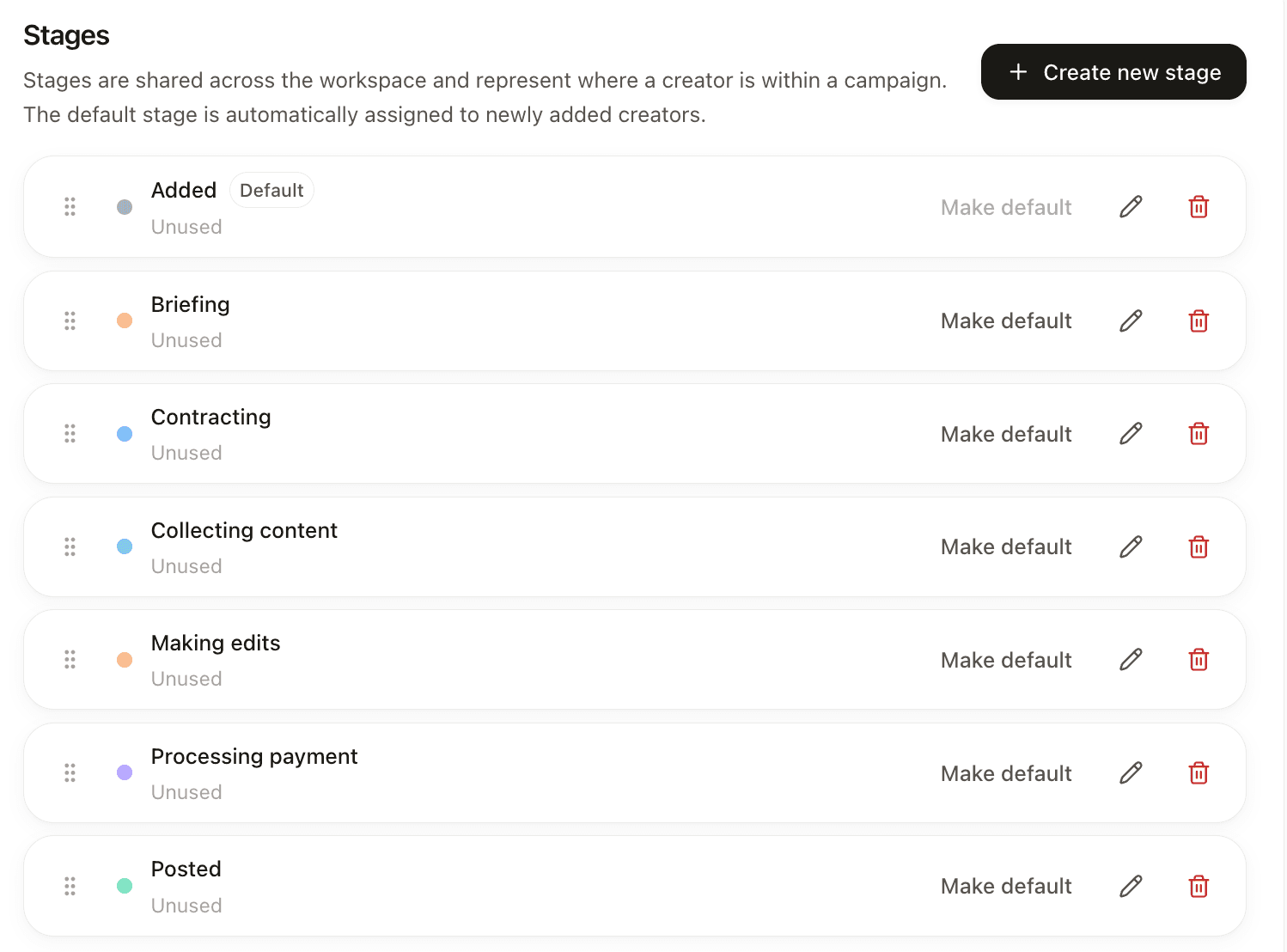
- Supports lists, tags, notes, and custom relationship stages
- Keeps shared creator context across lists and campaigns
- Connects CRM records to campaign performance data
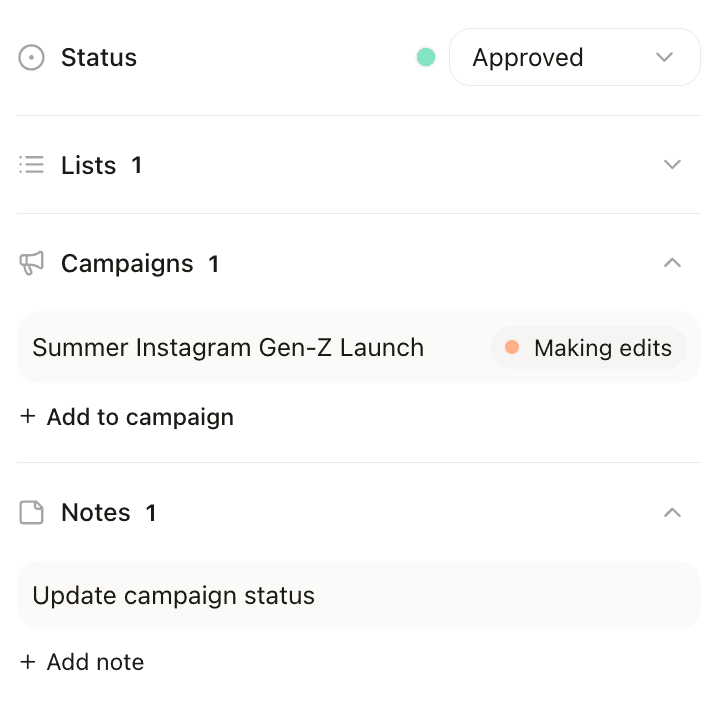
- Shows every list and campaign where a creator appears
- Supports bulk updates and shared notes for team handoffs
What a creator CRM replaces
Most teams start with a spreadsheet: one row per creator, columns for handle, email, follower count, rate, status and a notes cell that keeps getting longer. It works while one person runs one campaign.
It breaks in three places. Two people edit the same sheet and nobody knows which status is current. The same creator shows up in two campaigns, so their rate and history live in two tabs that disagree. And when the person who ran the program leaves, the context leaves with them, because half of it was in their inbox and their head.
A creator CRM fixes this by making the creator the record, not the campaign row. Campaigns, messages, rates and notes attach to that one record, so anyone on the team can open it and see the whole story.
What one creator record needs
Identity across platforms. The Instagram account, the TikTok and the YouTube channel of the same person belong on one record. Otherwise you pitch the same creator twice from two lists.
Contact and owner. The email or DM channel that works, and the one teammate who owns the relationship. Shared ownership usually means nobody follows up.
Stage and next step. Where the relationship stands right now and what happens next, with a date.
Money. What they quoted, what you agreed, what you paid and when. This is the field teams most often lose, and the one finance asks about first.
History. Every campaign the creator was part of, what they posted and how it performed. A creator who drove sales last spring should be easy to find before the next launch.
Notes and flags. Short dated notes ("prefers TikTok, slow on email") and hard flags such as do-not-contact or an exclusive deal with a competitor.
A simple stage pipeline
Keep the stages few and make each one answer "what do we do next". A pipeline that works for most brand teams: Found, Contacted, Replied, Negotiating, Contracted, Content live, Paid.
Two habits keep it honest. Move a creator only when something happened (a reply, a signed contract, a post going live), never because time passed. And give every creator outside Found or Paid a next-step date, so the list of overdue follow-ups builds itself.
After the campaign, do not delete the record. Move the creator to a list such as "worked with, would book again" with a note on results. That list is where your next campaign starts.
Spreadsheet, general CRM or influencer platform
A spreadsheet is fine while one person works with a few dozen creators and nothing changes hands. Once a second teammate joins or creators repeat across campaigns, it starts costing more time than it saves.
A general sales CRM such as HubSpot or Pipedrive handles stages and owners well, but it was built for deals with companies. It knows nothing about a creator's audience, posts or performance, so someone still copies stats in by hand.
An influencer platform with a built-in CRM keeps the record next to the data you search with: audience, content, outreach history, contracts and payouts. The trade-off is one more tool to learn, so test it on a real campaign before moving everything over.
How to set one up in an hour
Import the creators you already work with first, not a scraped list. Your existing relationships are the most valuable records you have.
Agree on the stages and write one sentence for each, so everyone moves creators the same way.
Add a few labels you will filter by later: niche, market and size tier are usually enough. Too many labels and nobody uses them.
Give every creator one owner and one next step. Then do a weekly ten-minute pass over everything overdue.
How Kitbees supports it
- Organize creators with lists, labels, notes, and custom relationship stages that persist across campaigns
- See which lists and campaigns a creator is connected to so context stays with the profile
- Bulk operations let you update statuses, move creators between lists, and manage at scale without repetitive clicks
- Shared notes and statuses help teams pick up creator context instantly when ownership changes
- Membership visibility shows where a creator already appears before you add them to another workflow
Related terms
Influencer outreach automation
Automating repeated outreach tasks like templated emails, follow-ups, and contact status tracking for creator partnerships.
Influencer campaign management software
Software for planning, executing, and reporting creator campaigns from pipeline setup to performance analysis.
Tracking links for influencer marketing
Short links or tagged URLs used to measure clicks, conversions, and creator-level attribution from influencer content.
Influencer discovery software
Software used to identify creators using niche, audience, performance, and credibility signals across multiple platforms.
See it in practice
Compare platforms
See how Kitbees compares on pricing, brand safety, workflow depth, and attribution.
Review pricing
Check the Starter and Growth plans, or Managed if you want the Kitbees team to run the campaign for you.
What is Kitbees?
Get the product overview for how Kitbees approaches creator crm for influencer marketing in practice.